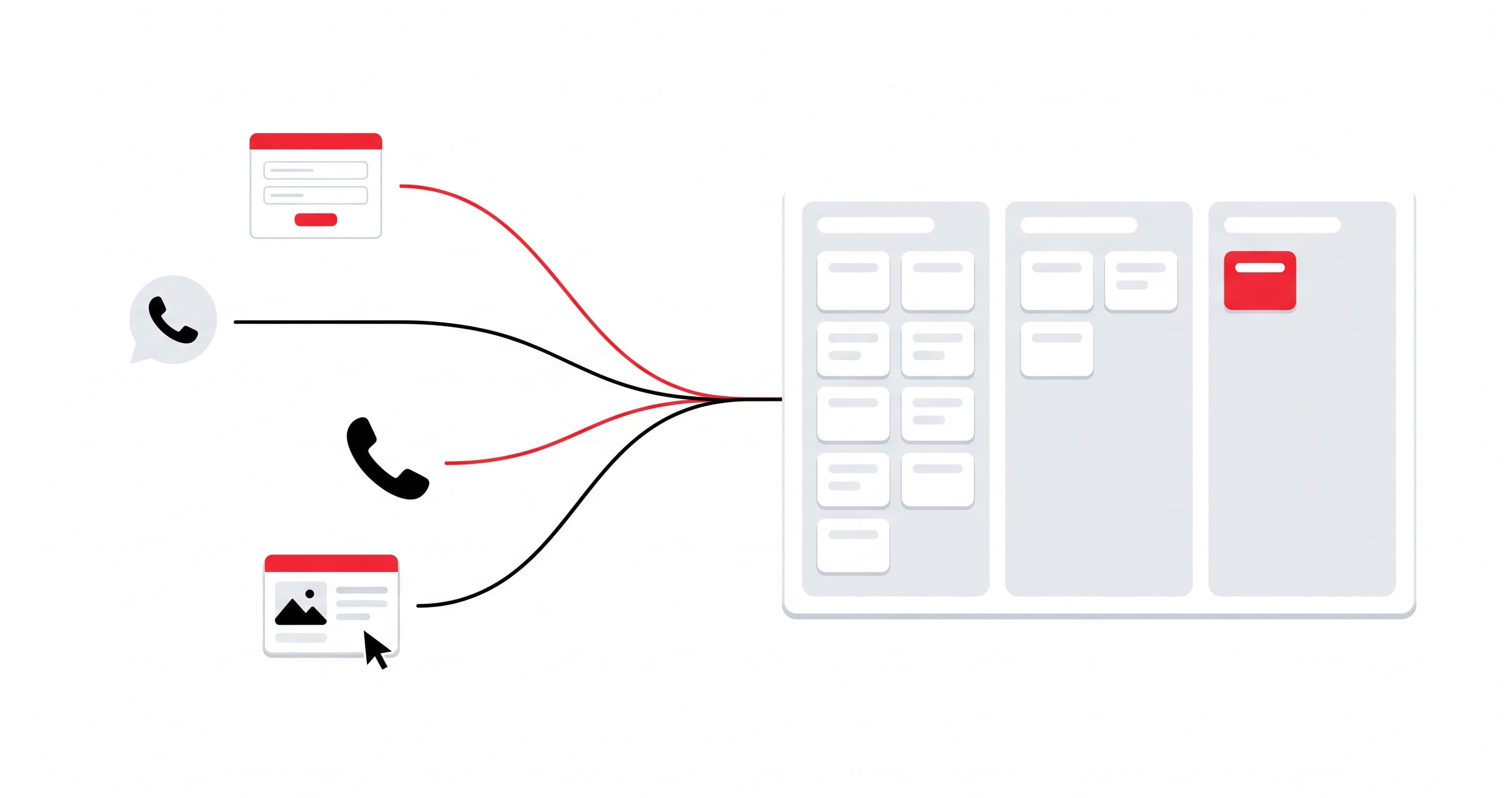
Your requests arrive through the website, WhatsApp, the phone and ads. This guide shows how to bring them together in one place, with a source and an owner for each.
A prospect fills in your website form on Monday, another writes to you on WhatsApp on Tuesday, and a third calls you on Wednesday after seeing an ad. Three requests, three different places, and nobody knows which one to follow up first. A single CRM solves this: every request becomes a record with its source, its owner and its status. This guide shows how to set one up in an SME, step by step.
Why your leads get lost
In most SMEs, requests arrive through several channels:
- the contact form on the website;
- WhatsApp messages;
- phone calls;
- messages received on Facebook and Instagram;
- Meta and Google ads;
- emails, and sometimes a spreadsheet kept by hand.
Each channel has its own inbox. The result: a follow-up forgotten because the message stayed on someone's phone, a request received twice, and no idea which ad or page really brought in the customer. When you decide next month's advertising budget, you do it blind.
What a single CRM changes
A CRM (customer relationship management tool) brings all requests together in one place. For each one, you see:
- the source: website, WhatsApp, call, ad;
- the owner: who should call back;
- the stage: new request, contacted, quote sent, won or lost;
- the history: what was said, sent and promised.
This gives you two concrete things. A salesperson who opens their screen in the morning knows who to call back. And the manager sees where customers really come from, channel by channel.
Which channels to connect first
Do not try to connect everything on day one. Start with the channels that bring you the most requests:
- The website form. It is the easiest to connect: every submission automatically creates a record in the CRM.
- WhatsApp. In Tunisia, it is often the first contact channel. A message that stays on a personal phone is a prospect the company never sees.
- Phone calls. A missed call or a useful call should leave a trace in the CRM, with the name and the subject of the request.
- Meta and Google ads. Connected to the CRM, they let you know which campaign brings in requests, not just clicks.
Setting it up in 5 steps
1. List all your sources. Write down where your requests arrive today, including the ones nobody thinks about (the manager's phone, the page's Messenger inbox).
2. Define the path of a request. Keep the stages few: new, contacted, quote sent, won, lost. The more there are, the less the team updates them.
3. Set assignment rules. Who receives which request? By area, by product, or in rotation. Without a rule, everyone waits for someone else to call back.
4. Connect the channels. The website and the other sources send their requests to the CRM through a technical connection (API). This is the step that removes manual re-entry.
5. Train the team and measure. A CRM nobody fills in is useless. Plan a short onboarding, then look every week at the number of requests per source and the number of requests not yet called back.
Which CRM should you choose?
There are many CRMs, from simple tools to integrated solutions. Three questions help you choose:
- Do you already have an ERP, or do you want one? If you already manage sales, stock and invoicing in another tool, a CRM integrated with that tool avoids double entry. Odoo, for example, offers a CRM that works with its sales, stock and accounting modules.
- How many people will use it? This affects the cost and the level of simplicity you need.
- Where will your data be hosted? A question to ask before signing, not after.
If you are hesitating between a standalone CRM and a complete management solution, our page on Odoo integration in Tunisia covers the modules, the prices and the method.
Common mistakes
- Trying to connect everything at once. Start with two channels, fix what needs fixing, then add the others.
- Too many stages in the path. The team stops filling them in.
- Not recording the source. Without it, you cannot tell which ad or page works.
- Leaving manual re-entry in place. As soon as a request has to be copied by hand, some get forgotten.
- Forgetting adoption. A CRM is only useful if the sales team uses it every day.
How we do it at E-Skills
We connect our clients' websites to Odoo CRM through the Odoo API. It works with a WordPress site as well as a Next.js site, without redesigning the site. A request received by form, by phone call or by WhatsApp becomes a lead in Odoo CRM, with its source; Meta and Google ads can be connected too. We then set up automatic assignment of leads to salespeople, with a notification.
The details of this offer are on the page about connecting your website to Odoo CRM (in French).
Frequently asked questions
Do you need an ERP to have a CRM?
No. A CRM can work on its own. The advantage of a CRM integrated with an ERP is that you avoid re-entering information when a request becomes a quote, then an invoice.
Can a WordPress site be connected to a CRM?
Yes. Depending on the site, the connection is made through a form linked to the CRM or through an API. We study the simplest solution for your current site.
What should you do with requests that arrive on WhatsApp?
They should end up in the CRM, in the same kind of record as the other requests. A message that stays on a personal phone is followed by nobody else in the company.
Which channel should you connect first?
The website form: it is the simplest, and it lets you see a first result very quickly.
Let's talk about your leads
Do your requests arrive through several channels, and do you want to see them in one place? Let's talk about your Odoo project: free quote within 24 hours.
Got a project in mind after reading this?
Let's talk. Our team in Tunisia replies within 24h with a free quote.
Let's discuss your projectAbout this article
- Category
- News
- Date
- October 13, 2026
- Reading time
- 5 min
Related articles

Ready to digitize your business?
Let's discuss your needs and build your digital success together.